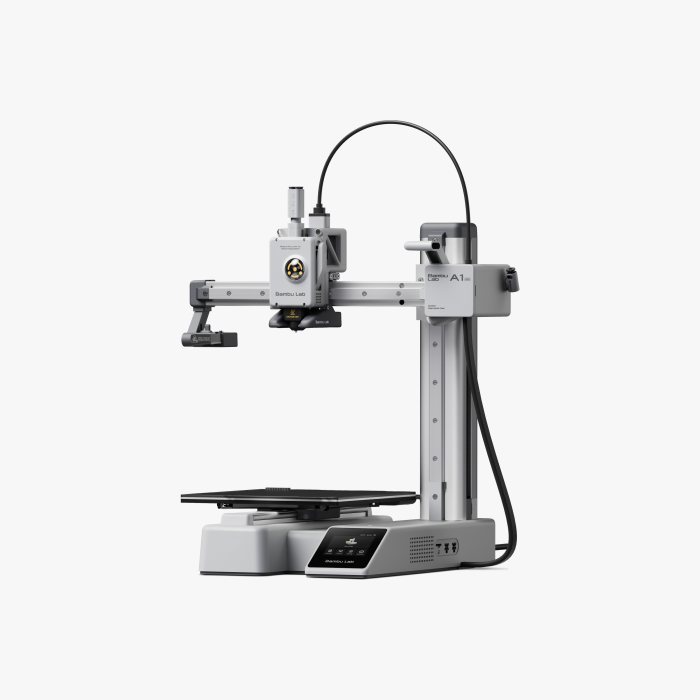
The Bambu Lab A1 is a desktop 3D printer that creates three-dimensional objects by depositing thin layers of melted plastic filament. It is commonly used to make prototypes, models, replacement parts, educational manipulatives, and other custom objects. The A1 has a 256 × 256 × 256 mm build volume, providing room for both small projects and larger prints.
To create a print, a digital 3D model is prepared in slicing software such as Bambu Studio. The software converts the model into layers and generates instructions for the printer. During printing, filament is heated and extruded through a nozzle while the printer builds the object one layer at a time.
Compatible Materials
The A1 uses 1.75 mm filament and is best suited for materials such as PLA, PETG, TPU, and PVA. Bambu Lab does not recommend the A1 for materials such as ABS, ASA, PC, PA, or carbon- and glass-fiber-reinforced polymers because of its open-frame design and material requirements.
Before You Begin
The printer's nozzle can reach 300°C, and the print bed can reach 100°C. Never touch the nozzle, heated components, or freshly printed areas until they have cooled. Keep fingers, hair, jewelry, and loose clothing away from the moving print head and print bed.
Make sure the build plate is correctly installed and clear the printer's movement area before beginning a print. Do not reach into the printer while components are moving.
New to 3D printing? Start with PLA and a small, simple model to become familiar with slicing, loading filament, preparing the build plate, starting a print, and safely removing finished objects.