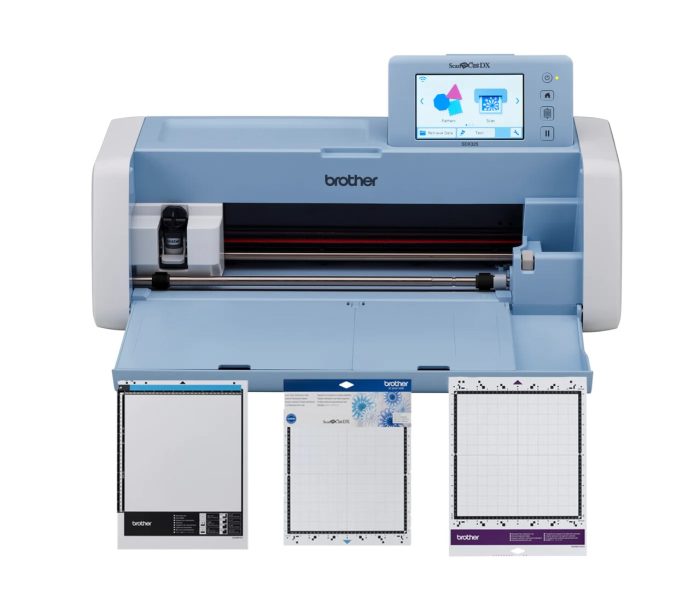
The Brother ScanNCut is an electronic cutting machine with a built-in scanner that can turn digital designs, printed artwork, and hand-drawn images into precise cut shapes. It can be used to create stickers, vinyl decals, paper crafts, fabric pieces, stencils, labels, appliqués, and other custom projects. ScanNCut models include built-in designs and allow users to scan artwork directly into the machine for cutting.
Material is placed on a compatible cutting mat and loaded into the machine. A small blade moves across the material to follow the selected design while rollers move the mat back and forth. Designs can be selected or edited on the machine, scanned from an existing image, or created digitally.
Compatible Materials
Depending on the ScanNCut model, blade, and cutting mat, compatible materials can include paper, cardstock, adhesive vinyl, heat-transfer vinyl, fabric, felt, foam, and other thin craft materials. Some ScanNCut DX models can cut materials up to 3 mm thick. Always use the appropriate blade, mat, and settings for the material being cut.
Before You Begin
The ScanNCut contains a sharp moving blade and powered rollers. Keep fingers, hair, jewelry, and loose clothing away from the blade carriage and rollers while the machine is operating. Do not reach into the machine or attempt to reposition material during a cut.
Make sure material is firmly attached to the appropriate cutting mat and perform a test cut when working with a new material.
New to digital cutting? Start with cardstock or adhesive vinyl and a simple shape to become familiar with loading the cutting mat, positioning designs, selecting settings, and removing finished pieces.